Setting Up URL Redirects (301 & 302)
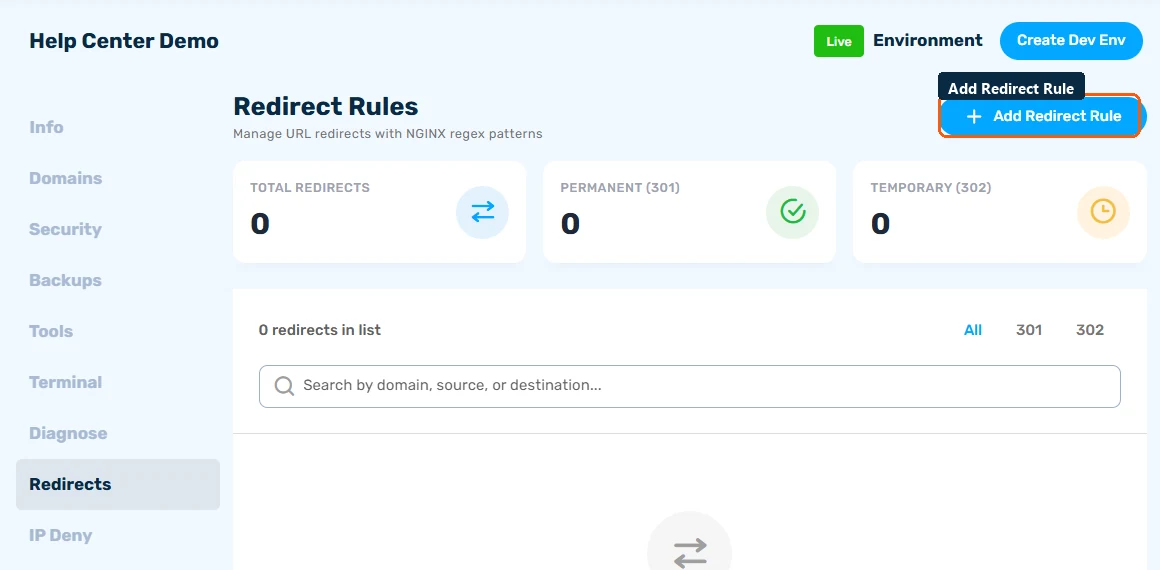
To redirect a URL, open your site's Redirects tab, click Add Redirect Rule, enter the old path and the new destination, and choose 301 for a permanent move or 302 for a temporary one. The rule takes effect right away.
Why Server-Level Redirects?
Redirects created here run in nginx before WordPress even loads, so they're instant and don't consume PHP resources. That makes them better than redirect plugins for anything permanent.
Adding a Redirect
- Open your site and go to the Redirects tab
- Click Add Redirect Rule
- Enter the from path and the to destination (a path on your site or a full URL)
- Choose the redirect type - 301 or 302
- Save - the rule takes effect right away
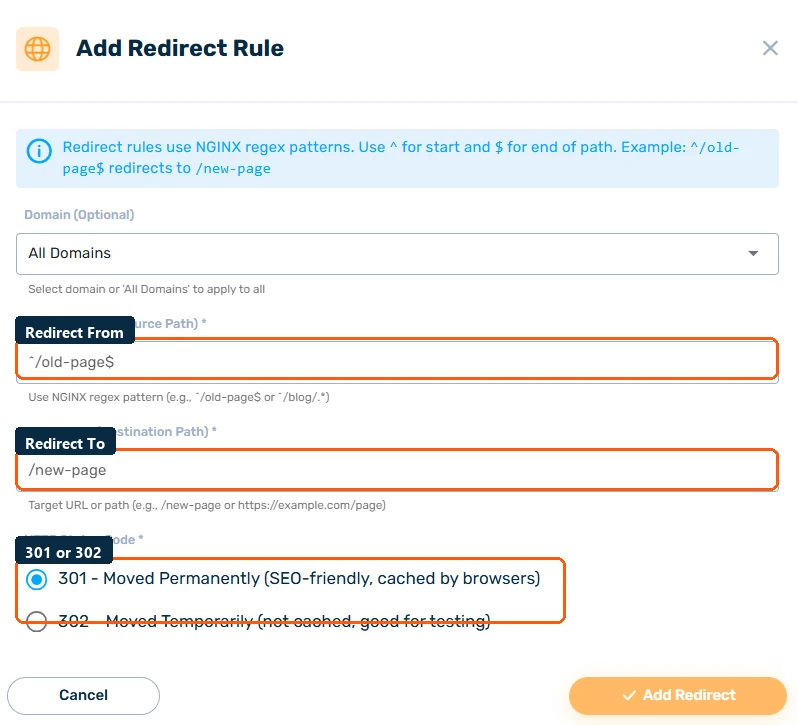
Patterns use nginx-style regular expressions, so you can match whole sections at once - for example redirecting everything under an old /blog/ prefix to a new structure.
301 vs 302 - Which One?
- 301 (Permanent) - "this page has moved for good." Search engines transfer the old URL's ranking to the new one. Use for restructured URLs, renamed pages, and domain changes.
- 302 (Temporary) - "this page is elsewhere for now." Search engines keep the original URL indexed. Use for promotions, maintenance, and A/B tests.
If in doubt for a permanent move, use 301 - keeping a 302 long-term dilutes your SEO.
Managing Rules
The Redirects tab shows totals for all rules, 301s, and 302s. Filter by type, and edit or delete any rule. Browsers cache 301s aggressively, so test edits in a private window.
Common Uses
- Preserving SEO after changing permalinks or migrating a domain
- Fixing 404s reported in your analytics (see the Response sub-tab in Monitoring Site Analytics & Resource Usage)
- Short vanity URLs like
/promopointing to a long campaign URL
