Advanced Site Tools: Password Protection, Force HTTPS & More
Password protection, Force HTTPS, custom SSL certificates, WP debugging, the ionCube Loader, geolocation and Remove Set-Cookie are all switches in your site's Tools tab. This guide explains what each one does and when to use it.
Finding the Tools
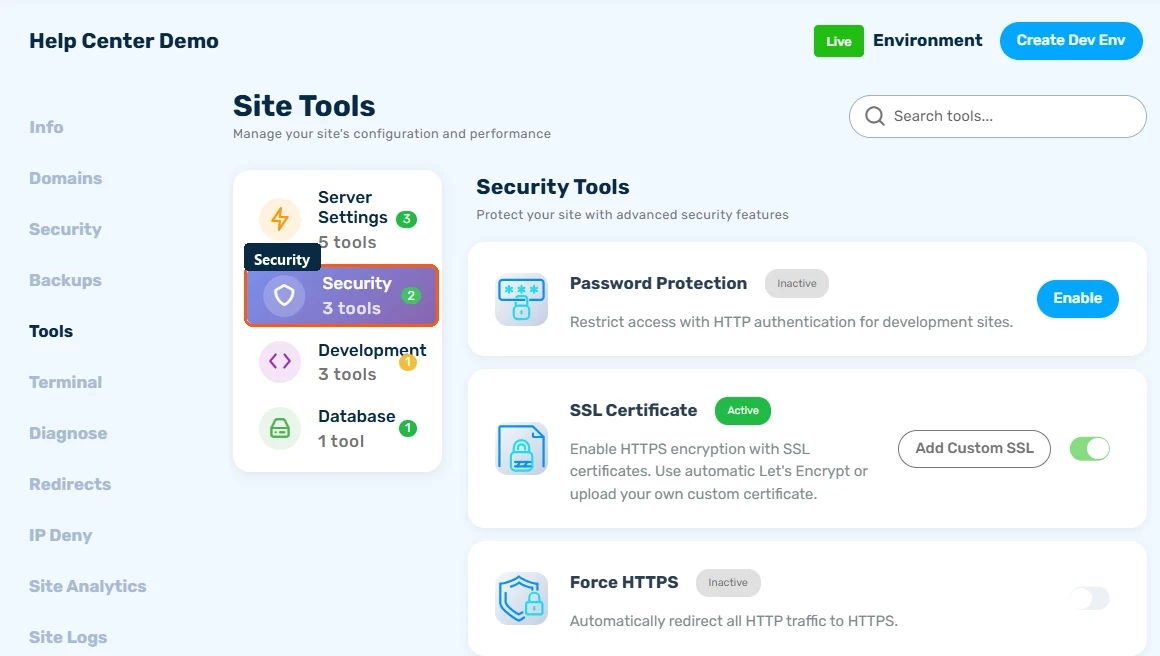
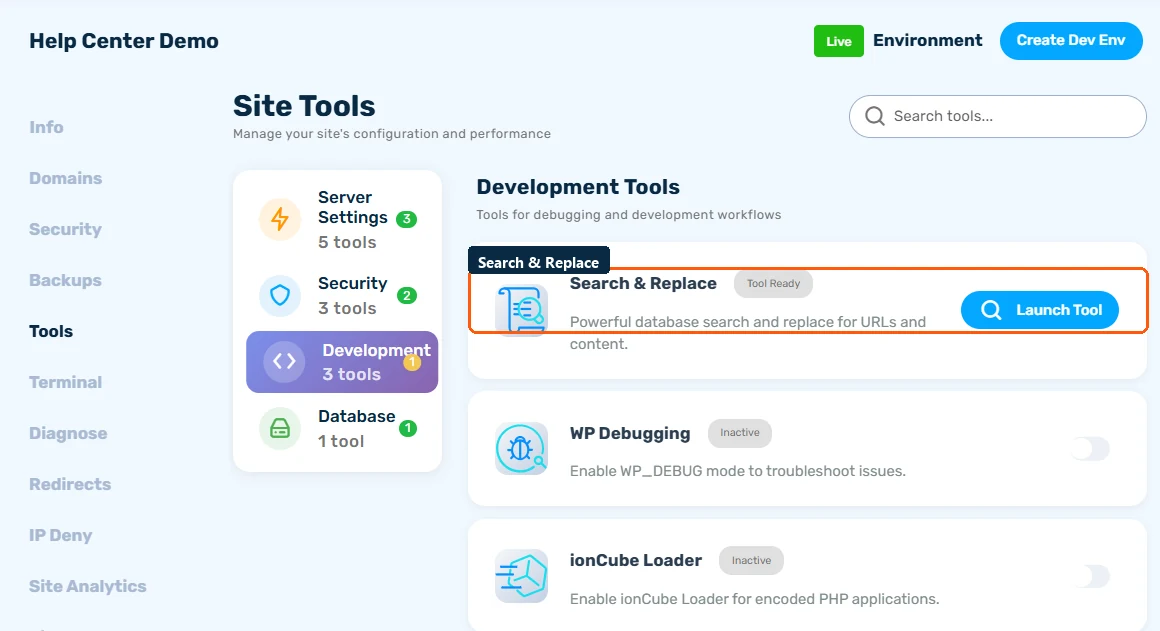
Open your site and go to the Tools tab. Tools are grouped by category (Server Settings, Security, Development, Database) and searchable. The basics - PHP version, caching, Search & Replace - are covered in Using Site Tools: PHP, Caching & Logs; this guide covers the advanced ones.
Password Protection
Put your whole site behind a browser login prompt (HTTP authentication) - ideal for staging sites or pre-launch pages you don't want the public (or Google) to see. Enable it, set a username and password, and share them with your reviewers. Disable it when you launch.
Force HTTPS
When enabled, all http:// requests are redirected to https:// automatically. Keep this on for every production site - it protects visitors and search engines only see one canonical protocol.
Custom SSL Certificate
Sites get free Let's Encrypt SSL automatically, but if you've purchased a premium certificate (OV/EV or wildcard) you can install it here: choose Add Custom SSL and paste your certificate, private key, and chain. The hostnames and validity dates are parsed and shown so you can verify before saving.
PHP Service Restart
If your site hangs or a PHP setting change needs a fresh start, restart your site's PHP service here - it only affects your site, and takes a few seconds.
WP Debugging
Toggles WordPress's WP_DEBUG mode so plugin and theme errors are logged in detail. Turn it on while chasing a problem, read the errors in the Site Logs tab, and turn it off afterwards.
ionCube Loader
Some commercial plugins ship encoded with ionCube and fail with an "ionCube Loader required" error. Flip this toggle to enable the loader, no support ticket needed.
Geolocation
Enables country- or city-level visitor geolocation data for your site, which geo-aware plugins (currency switchers, geo-blocking, localized content) can read. Choose country or city precision, or leave it disabled.
Remove Set-Cookie
Pages that send cookies generally can't be cached. If a plugin sets unnecessary cookies on every page, this toggle strips the Set-Cookie header so nginx can cache your pages again. Don't use it on sites that rely on cookies (logins, carts).
