Speed Up Your WordPress Site
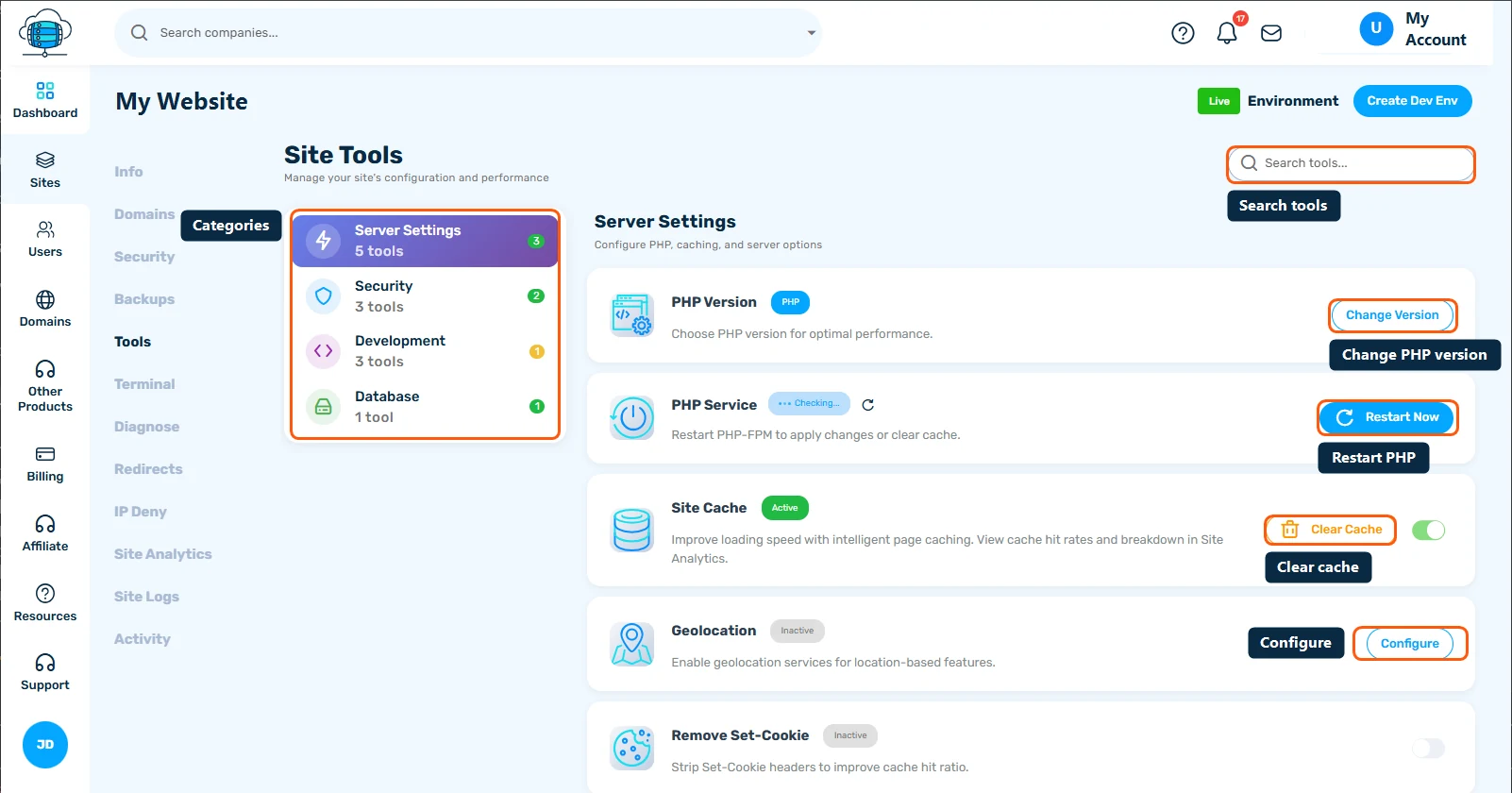
The quickest way to speed up a WordPress site on HostBarrel is to turn on nginx caching in the site's Tools tab. After that, compress large images, remove plugins you don't use, and clean up the database.
Why Speed Matters
A slow website hurts your SEO rankings and user experience. Google considers page speed a ranking factor, and visitors expect pages to load in under 3 seconds.
Enable Nginx Caching
HostBarrel includes built-in nginx caching. Enable it from your site's Tools tab in the dashboard - this alone can reduce load times by 50% or more. You can also install LiteSpeed Cache for additional page-level caching.
Optimize Images
Large images are the #1 cause of slow pages. Use ShortPixel or a caching plugin's built-in image optimization to compress images without visible quality loss.
Minimize Plugins
Each plugin adds code that runs on every page load. Audit your plugins regularly and remove any you don't actively use. Aim to keep your plugin count under 20.
Use a CDN
A Content Delivery Network serves your static files from servers closest to your visitors. Cloudflare offers a free tier that integrates easily with WordPress.
Database Optimization
Over time, your WordPress database accumulates overhead from post revisions, spam comments, and transients. Use WP-Optimize to clean it up periodically.
