Site Backups: Automatic, Manual & Downloadable
HostBarrel backs up every site automatically once a day and keeps those backups for 14 days. You can also take manual snapshots, restore any backup to Live, and download a full copy from the site's Backups tab.
Where Backups Live
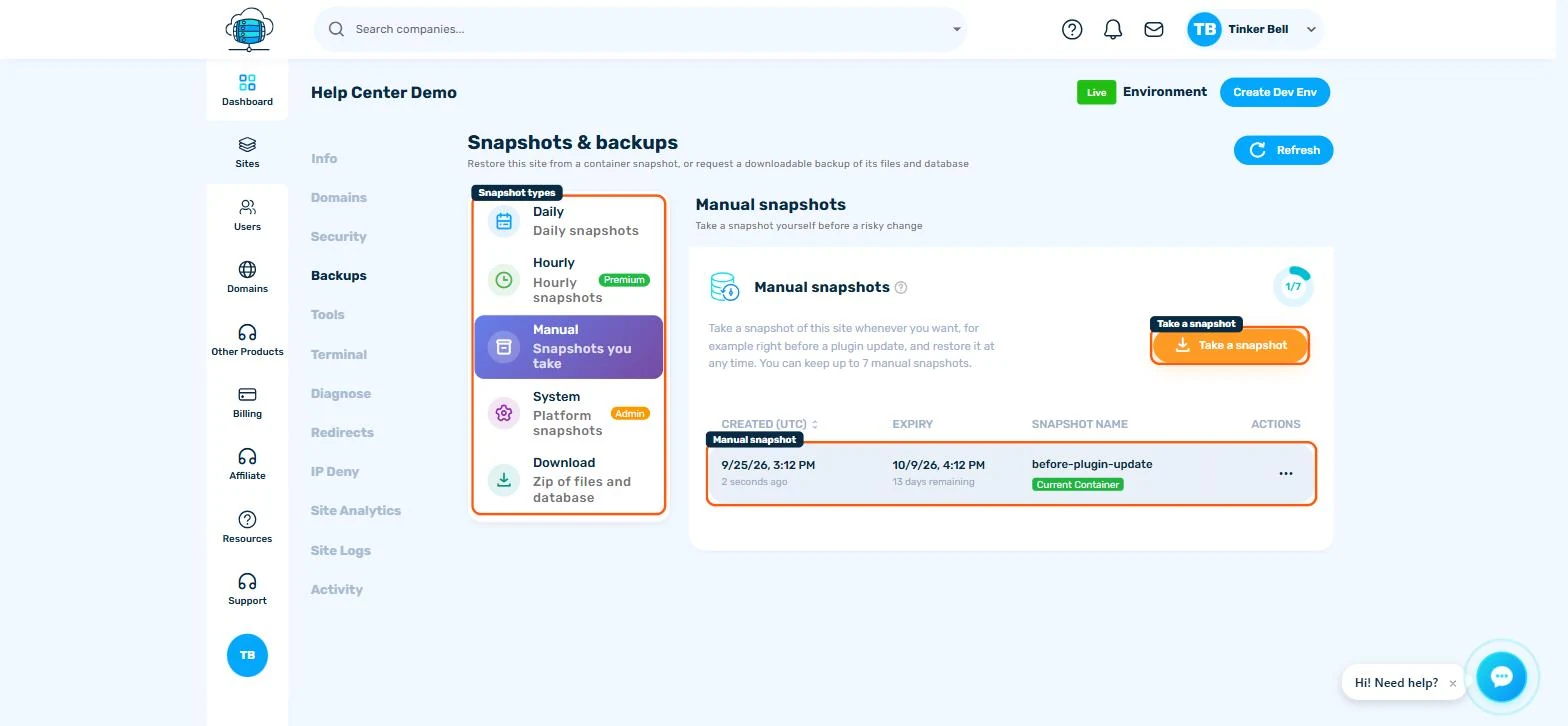
Open your site from the Sites page and go to the Backups tab. Backups are organized into categories, each with its own retention policy.
Daily Backups (Automatic)
Every site is backed up automatically once a day, and daily backups are kept for 14 days. There's nothing to configure - they just happen. To roll your site back, find the backup you want and click Restore.
⚠️ Before You Restore
Restoring replaces your site's current files and database with the backup's contents. Anything created or changed since that backup was taken will be lost. If you're not sure which backup you need, take a fresh Manual Backup first so you can't lose today's work by mistake.
Hourly Backups (Add-on)
If you need tighter recovery points - for example on a busy WooCommerce store - the Hourly Backups add-on takes a backup every hour and keeps them for 7 days. You can subscribe to it right from the Backups tab or from Billing > Add-ons.
Manual Backups
Before a risky change (major plugin update, theme swap, bulk edit), create a snapshot on demand with Take a snapshot in the Manual category. Note that manual snapshots have a per-site limit - delete old ones you no longer need to free up slots.
Download Backups
Want an offline copy? The Download category lets you generate an exportable backup, download it to your computer, and delete the export afterwards. This is the recommended way to take a full copy of your site before cancelling a plan or migrating elsewhere.
Keeping an Off-site Copy
The Backups tab does not send backups to your own cloud storage. To keep a copy outside HostBarrel, create a backup in the Download category, download it, and store the file wherever you keep important files.
Best Practices
- Take a manual snapshot before every major change
- Download a copy periodically if your site is business-critical
- Test a restore on a Dev environment first if you're unsure which backup you need (see Using Dev Environments & Push to Live)
