Managing Account Users
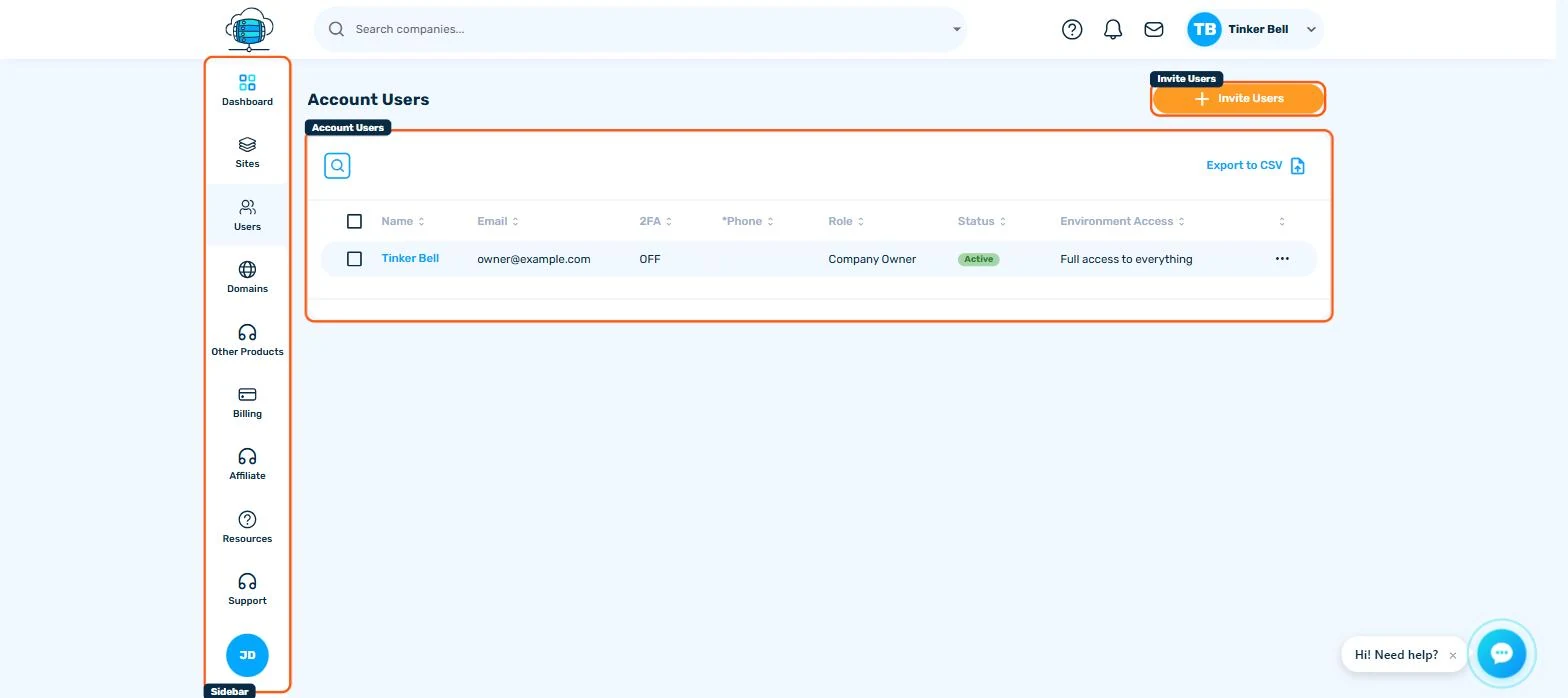
Click Users in the sidebar to see who can access your account, and click Invite Users to add someone as a Company Administrator, Company Developer or Company Billing user.
Where to Find It
Click Users in the sidebar for a list of everyone with access to your HostBarrel account - name, email, whether they have 2FA on, their role, status, and how much of the account they can see.
Inviting Someone
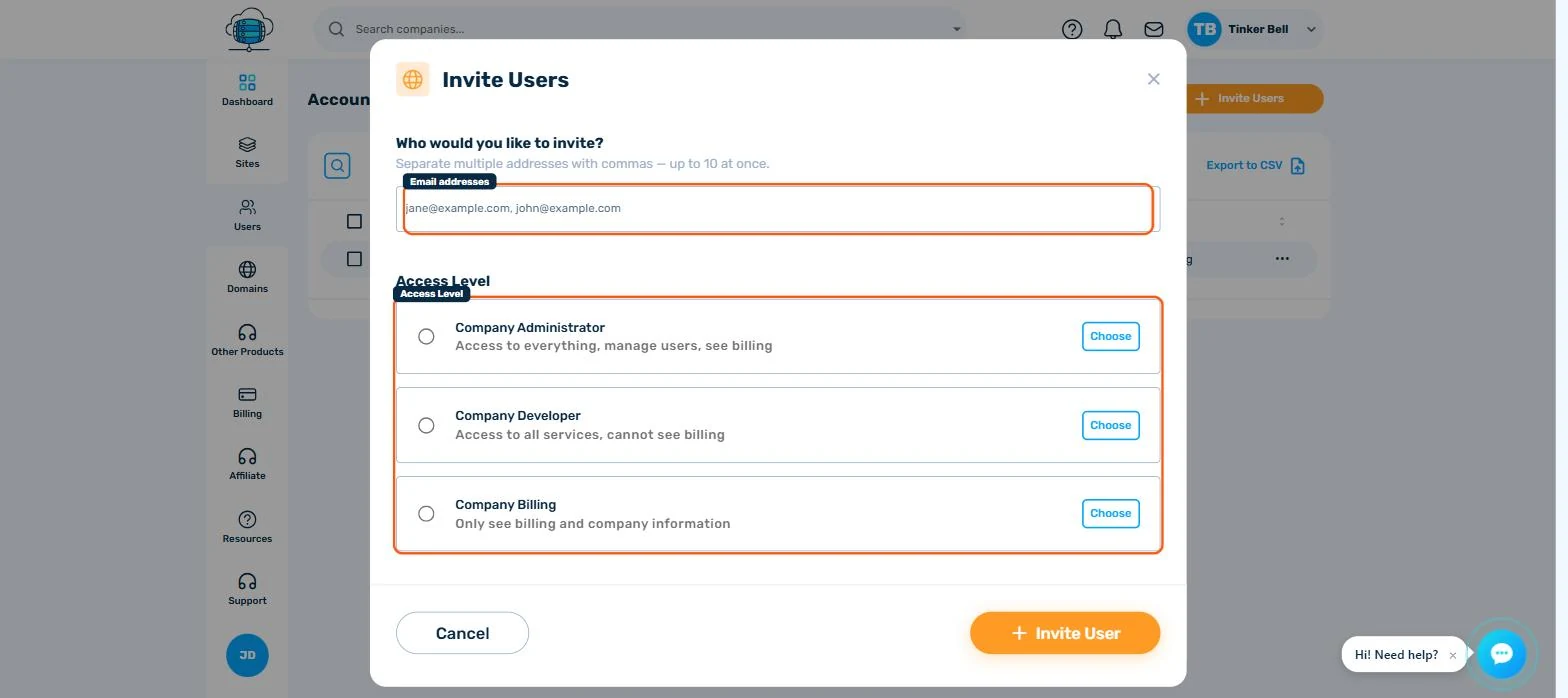
Click Invite Users in the top-right. You can invite up to 10 people at once - separate addresses with commas - and every address on the invite gets the same access level.
Access Levels
- Company Administrator - full access to everything, including managing other users and billing
- Company Developer - access to all services (sites, tools, domains) but cannot see billing
- Company Billing - can only see billing and company information, nothing else
Pick the narrowest level that lets someone do their job - a developer who only touches sites doesn't need billing access, and a bookkeeper doesn't need to see your servers.
Managing Existing Users
Use the ⋯ menu on a user's row: Update changes their role, Permissions fine-tunes what they can do, and Delete removes their access. See Inviting Team Members to Your Account for more on when to use each role and why not to share a single login.
