Support Tickets Walkthrough
Click Support in the sidebar, search the Support Hub for your question, and if no guide answers it, click New ticket. Replies and ticket status appear in the My Tickets list on the same page.
Search Before You Open a Ticket
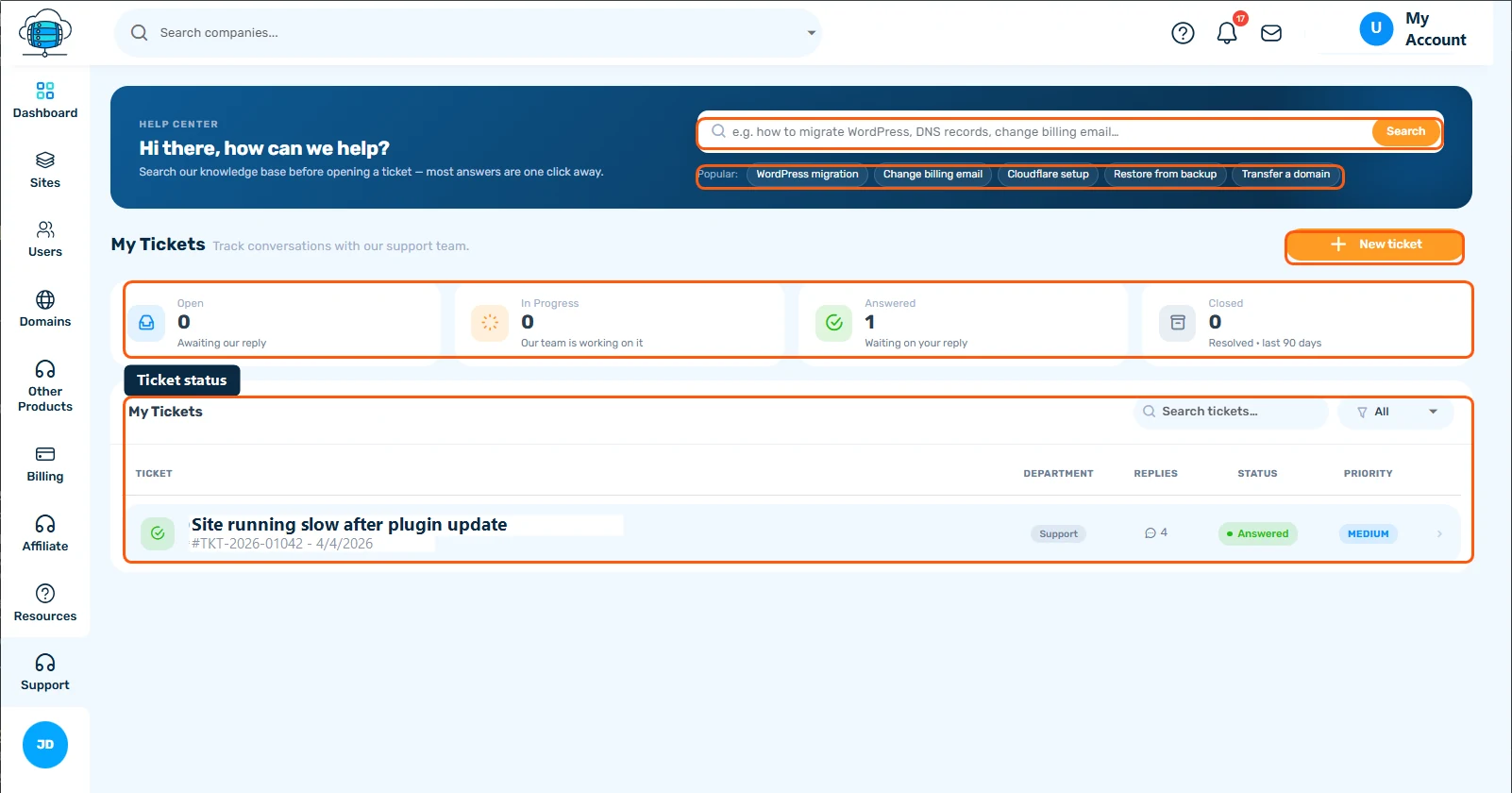
Click Support in the sidebar. The search bar at the top searches this Support Hub directly from your dashboard - try it before filing a ticket, since a lot of common questions (WordPress migration, changing your billing email, Cloudflare setup, restoring a backup, transferring a domain) already have a guide. The Popular chips underneath link straight to the most-used articles.
My Tickets
Below the search, four cards summarize your tickets by status - Open, In Progress, Answered (waiting on your reply), and Closed. The table lists every ticket with its department, reply count, status, and priority. Click a row to open the full conversation, or New ticket to start one.
Working a Ticket
Search or filter with the box and dropdown above the table if you have several tickets open. Once inside a ticket, replies are threaded newest-first, and closing/reopening works automatically - replying to a closed ticket reopens it. See Getting Support: Tickets & Live Chat for tips on writing a ticket that gets resolved fast.
