Your Dashboard at a Glance
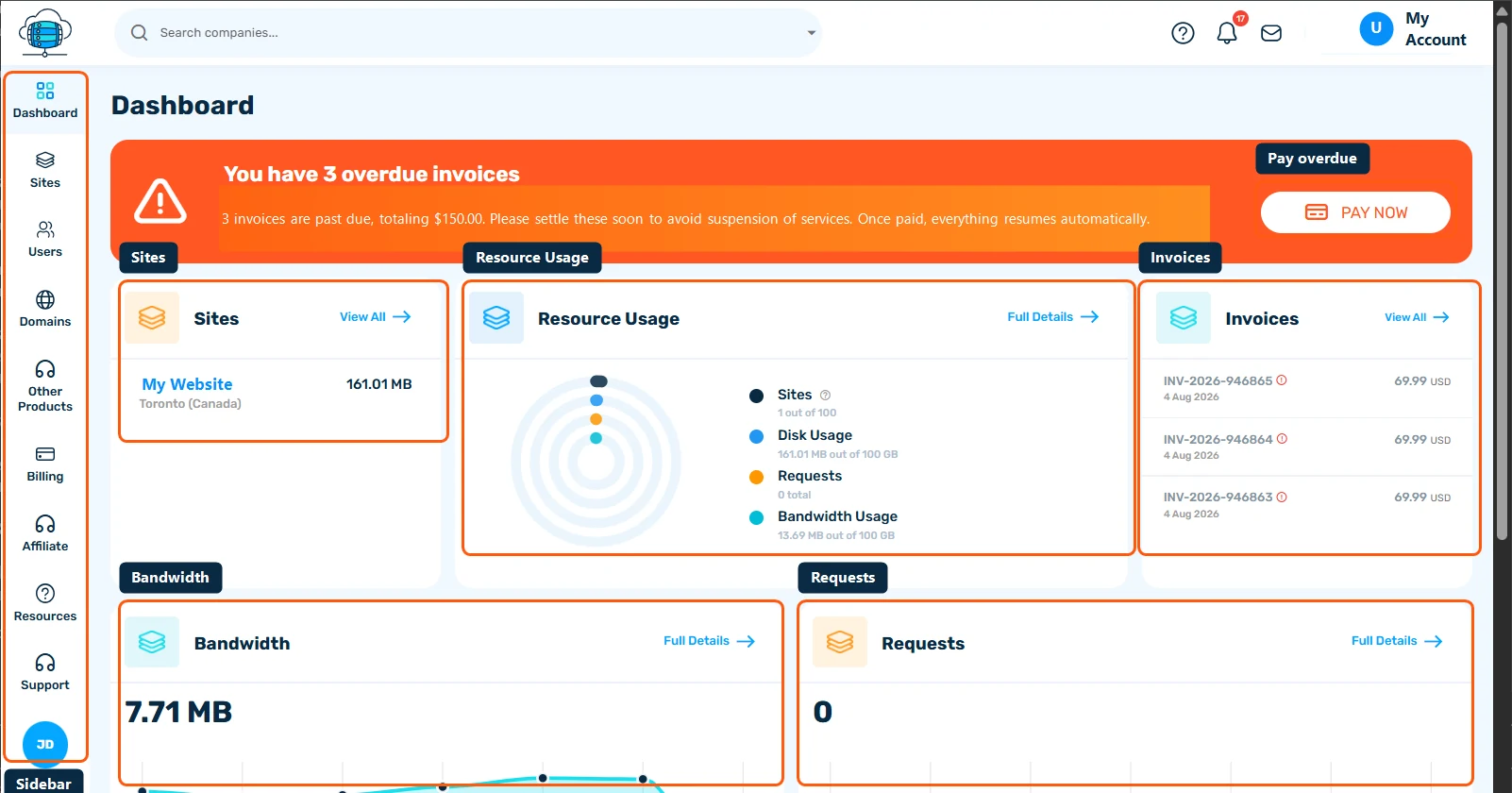
The Dashboard is the first page you see in the Client Portal. It sums up your sites, resource usage, invoices and traffic, and every card links to the full page behind it.
The Dashboard Is Your Home Base
Every time you log in to the Client Portal, you land on the Dashboard. It's a quick-glance summary of your account - your sites, resource usage, invoices, and traffic - with one-click links to dig into any of them.
Billing Alerts
If anything needs your attention - like an overdue invoice - a banner appears right at the top with a direct Pay Now button. No alerts means no banner; the Dashboard stays out of your way otherwise.
Sites Card
A quick list of your hosted sites with their current disk usage. Click View All to go to the full Sites page, or click a site name to jump straight to its detail page.
Resource Usage
The donut chart breaks down your account-wide usage against your plan's limits - sites, disk, requests, and bandwidth - in one view. Click Full Details to open the Resources page for historical graphs and date-range filtering.
Invoices Card
Your most recent invoices, with status indicators for anything overdue. Click View All to open the full Billing section.
Bandwidth & Requests
Two smaller cards chart your bandwidth and request volume over time, so you can spot spikes at a glance without opening the full analytics page.
The Sidebar
Everything else lives in the left sidebar: Sites, Users, Domains, Other Products, Billing, Affiliate, Resources, and Support. The rest of this section walks through each of these in detail.
