Billing & Invoices Walkthrough
Click Billing in the sidebar to see your account credit, next payment due and plan usage, then open the Invoices tab to view, download or pay any invoice.
Billing Overview
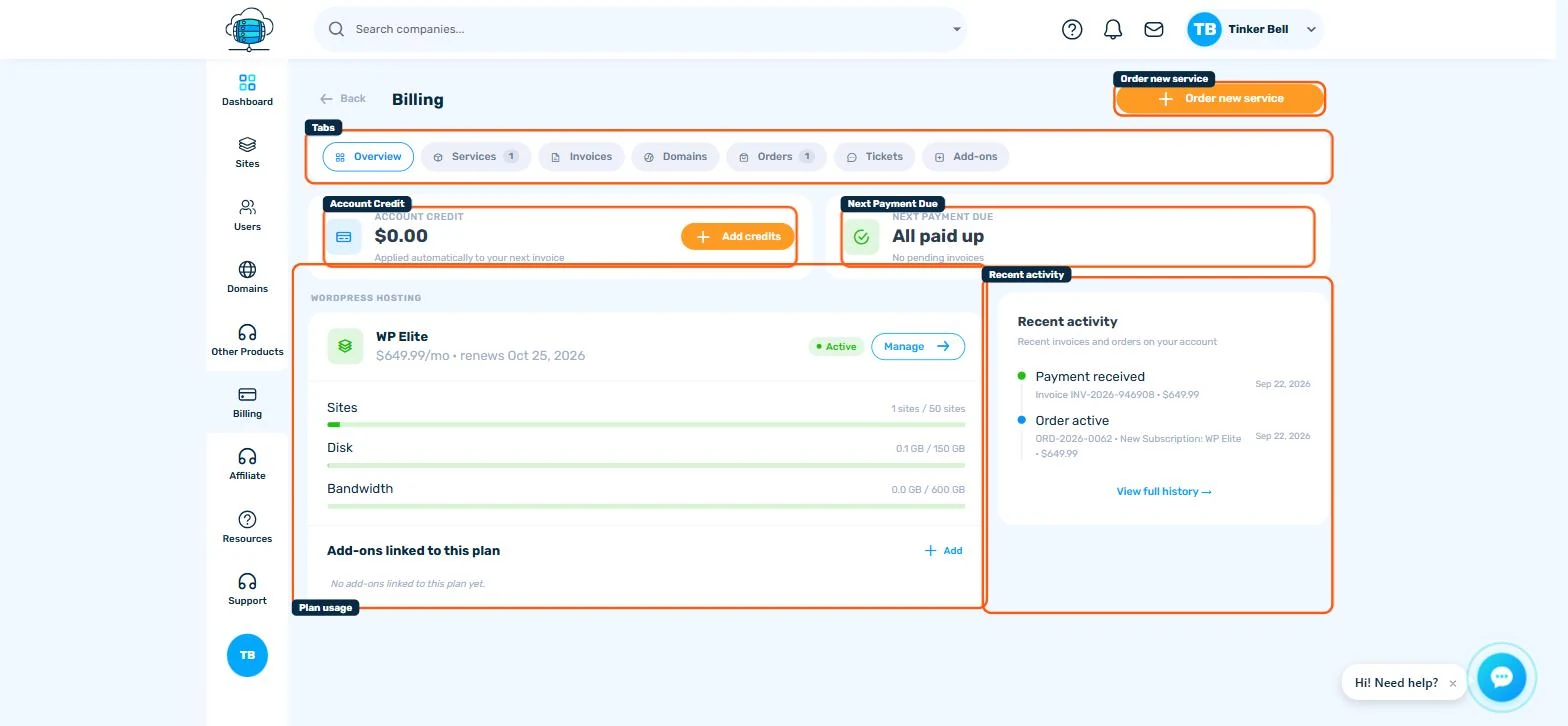
Click Billing in the sidebar for a summary of your account: Account Credit (applied automatically to your next invoice), Next Payment Due, an overdue-invoices alert with a one-click Pay overdue button when something needs attention, your active plan's usage bars (Sites, Disk, Bandwidth), and a Recent activity feed of invoices and orders.
The Invoices Tab
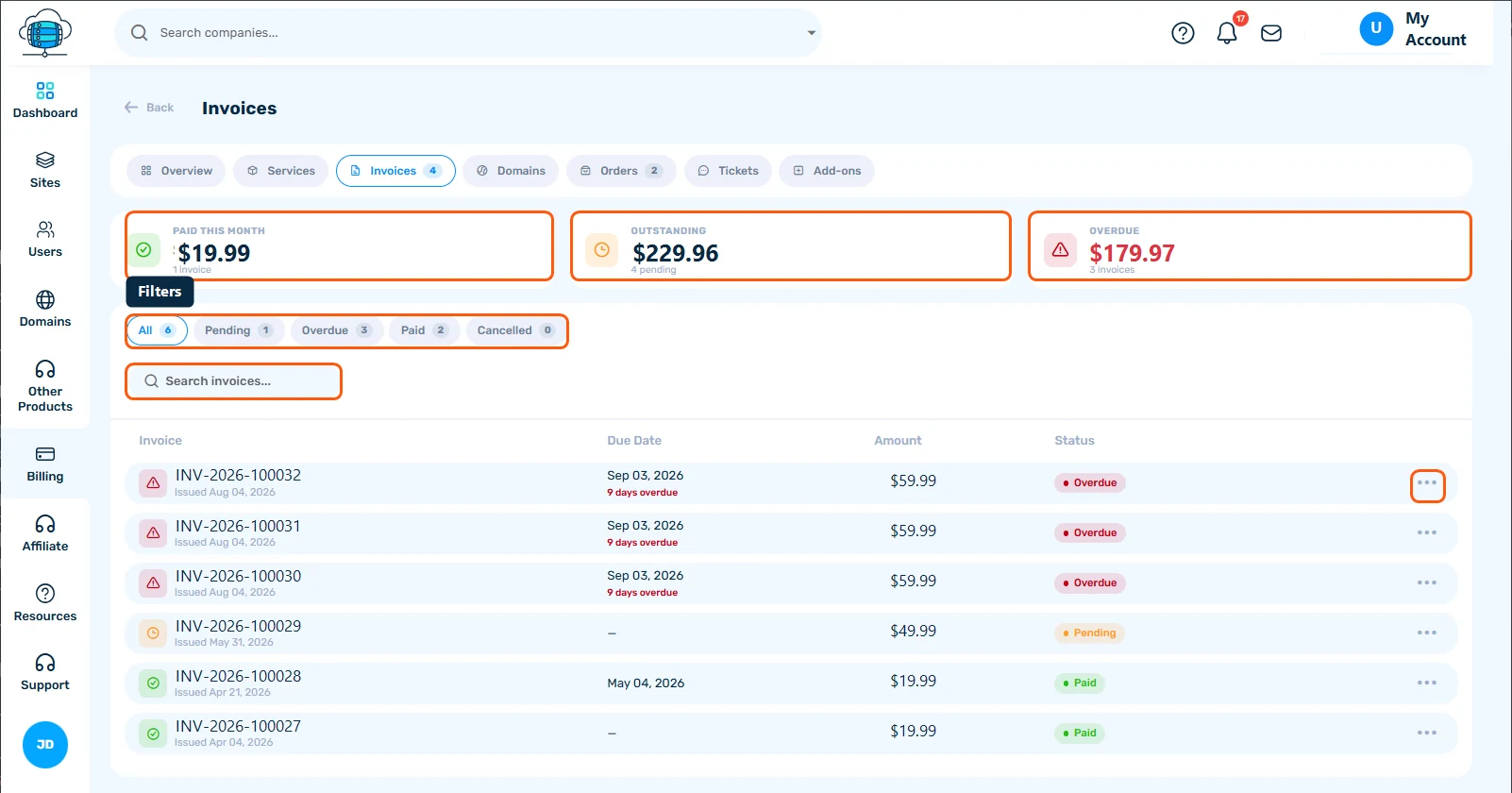
Click Invoices in the tab bar for the full list. Three summary cards show what's Paid This Month, what's Outstanding, and what's Overdue. Filter the list with the All / Pending / Overdue / Paid / Cancelled chips, or search by invoice number.
Working With an Invoice
Each row shows the invoice number, issue date, due date (with a red "days overdue" note if applicable), amount, and status. Click the ⋯ menu on any row to view, download the PDF, or pay it directly. See Managing Your Billing Information for payment methods, account credit and billing cycles.
Other Tabs
The same tab bar also has Services (your WordPress hosting plan and any other active services), Domains (domain-specific billing), Orders, and Add-ons you can attach to your plan. Support tickets, billing questions included, are on the Support page in the sidebar.
