How to Transfer Your Domain to HostBarrel
To transfer a domain to HostBarrel, unlock it at your current registrar, get its EPP (authorization) code, start the transfer on HostBarrel's domain transfer page, and approve the confirmation emails. Transfers typically complete within 5-7 days.
Before You Begin
Ensure your domain is unlocked at your current registrar and that you have the EPP/authorization code. Domains must be at least 60 days old to transfer.
Step 1: Unlock Your Domain
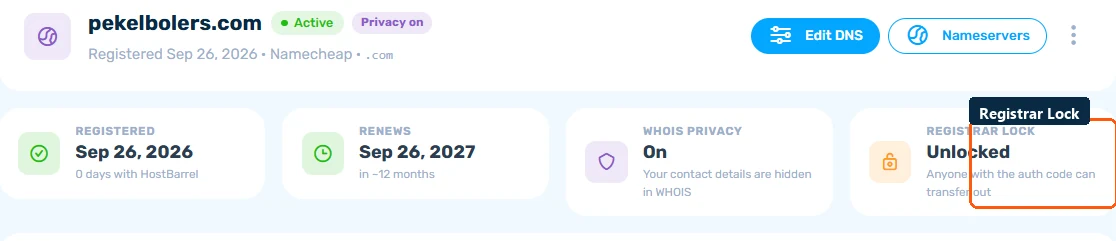
Log in to your current registrar and disable the transfer lock (sometimes called "registrar lock" or "domain lock"). If the domain is already connected to your HostBarrel account, you can also check its lock status from the domain's detail page.
Step 2: Get the Auth Code
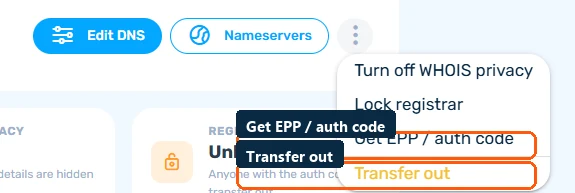
Request the EPP/authorization code from your current registrar. This is usually available in your domain settings or may be emailed to the registrant email address. If the domain is already in your HostBarrel account, the ⋯ menu on its detail page also has a Get EPP / auth code option.
Step 3: Initiate Transfer
Go to HostBarrel's domain transfer page, enter your domain name, and provide the authorization code. Complete the payment for one year of renewal.
Step 4: Approve the Transfer
You'll receive a confirmation email. Click the approval link. Your current registrar may also send a confirmation - approve it there too. The transfer typically completes within 5-7 days.
