Getting Started with HostBarrel
To get started, log in to the Client Portal with the email and password you used at checkout, then create your first site from the Sites page. SSL is set up for you, and help is always one click away under Support.
Welcome to HostBarrel
HostBarrel is a managed hosting platform that makes it easy to launch and manage websites. After signing up and purchasing a plan, you can access your dashboard to create sites, manage billing, and get support.
Logging In
Visit the Client Portal and log in with the email and password you used during registration. If you signed up through the checkout page, you're already set - use those same credentials.
Dashboard Overview
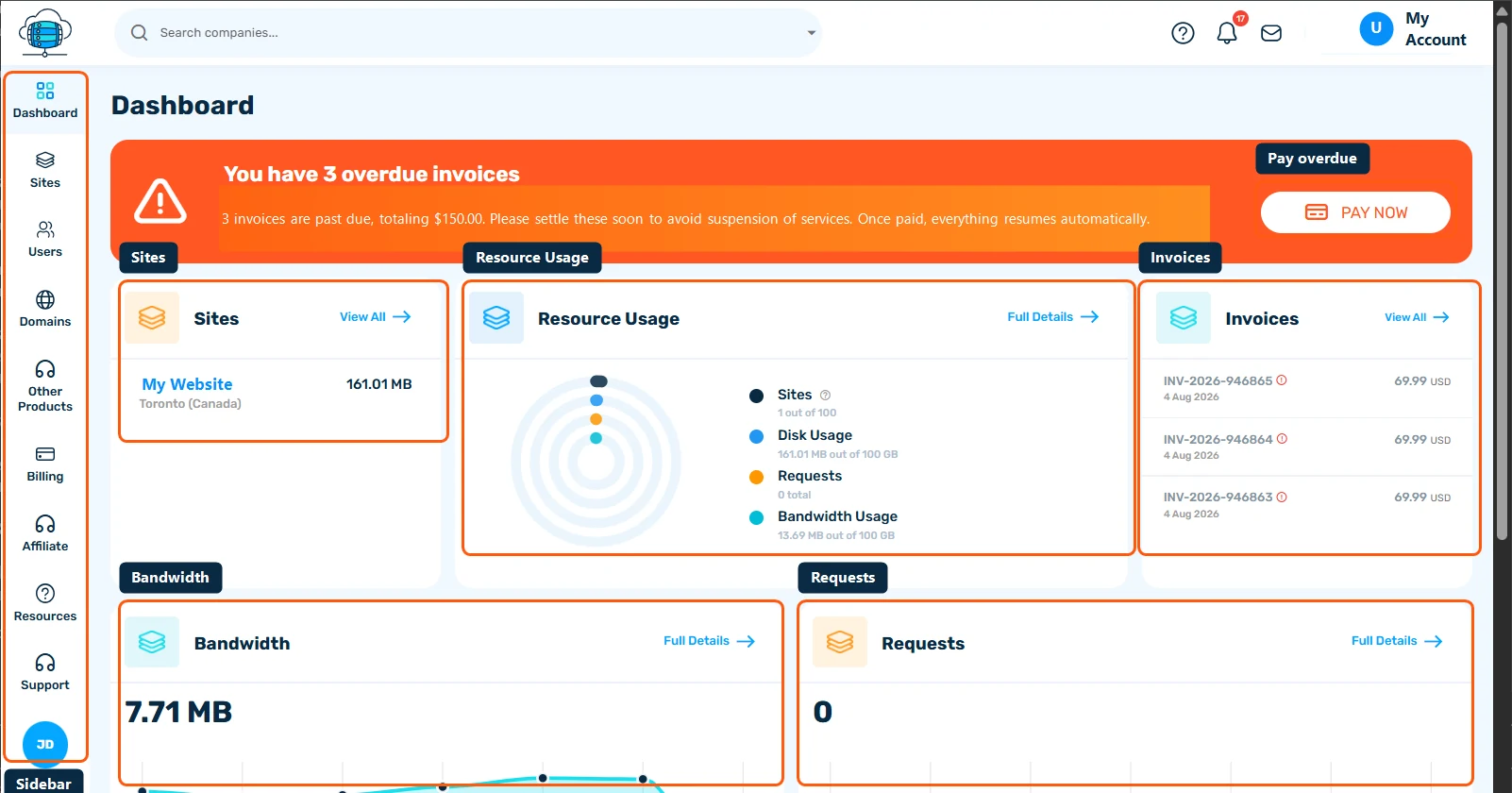
After logging in, you'll see your main dashboard with quick access to:
- Sites - Create and manage your hosted websites
- Billing - View invoices, manage your subscription, and order new services
- Support - Open support tickets and get help from our team
- Tools - Access site diagnostics, logs, and performance tools
- Resources - Monitor your disk, bandwidth, and resource usage
Quick Start Checklist
- Create your first WordPress site from the Sites page
- Add a custom domain (or use the free HostBarrel subdomain to get started)
- SSL is provisioned automatically - no manual setup needed
- Log in to your WordPress admin at
yourdomain.com/wp-admin
Need Help?
Our support team is available via the Support section in your dashboard. You can open a ticket at any time and we'll get back to you as quickly as possible.
